How to Use News Articles for Effective English Conversation Practice

At ENGin, our volunteers hold thousands of online English conversation sessions with Ukrainian students every week, and sooner or later, almost everyone asks the same question: where do I find fresh material to talk about? News is often the easiest answer, but picking the right source for the right level takes time. In collaboration with betterclass expert Oleg, who shared his experience building interactive lessons, here's a practical guide to eight ways to bring news into a session, with the real trade-offs of each — useful whether you're an ENGin volunteer or an English teacher looking to make your lessons more engaging.
Whether to use news is an easy call. Where to get it is the part that eats your time. You can pull a story from a big news site, grab a YouTube video, ask an AI to write something, or use a ready-made lesson. Each one costs a different amount of prep.
This guide covers eight types of news content for an English class. For each one I'll give you a quick snapshot (difficulty, prep time, authenticity and best use), then tell you what I like, what annoys me and what to watch out for. None of them is perfect. I mix them depending on the group and on how tired I am that week.
Table of Contents
News websites

This is the classic option, and it's where I start with a strong B2 or C1 group. Sites like BBC, CNN and The Guardian cover everything from tech and sport to climate and culture, so whatever your student is into, there's a story about it. The articles were written for native speakers, which makes this the most authentic English your students will read.
The price is prep, and it's bigger than it looks. You scroll through a lot of material to find one story that's the right length, the right level and actually interesting. Then you check the vocabulary, decide what to pre-teach and write your own questions. If you're starting from scratch, budget 30 minutes or more. I've lost whole evenings hunting for "the one."
The fix that worked for me is a small bank of free, readable articles that I reuse. Ads make pages messy on a shared screen, and some outlets lock their best stories behind a membership, so I save the sources that don't. Lower levels will need extra help too, because newspaper English is dense.
News newsletters

Newsletters are a lazy teacher's best friend (said with love, because I am one). Subscribe to a few and stories arrive in your inbox every morning, no searching needed. Open your email, pick the one that looks fun, and you have material.
The tone is my favorite part. Newsletter writers sound like a clever friend explaining the news over coffee: short sentences, jokes, contractions, informal phrases. It's the English students hear in real life and rarely see in a textbook.
They have limits, though. Most are written for adult native speakers, so they assume background knowledge and lean on slang and cultural references. Some carry ads or sponsored sections, which I just skip. I use them with B2 students and above, and often only one paragraph instead of the whole email.
Headlines only
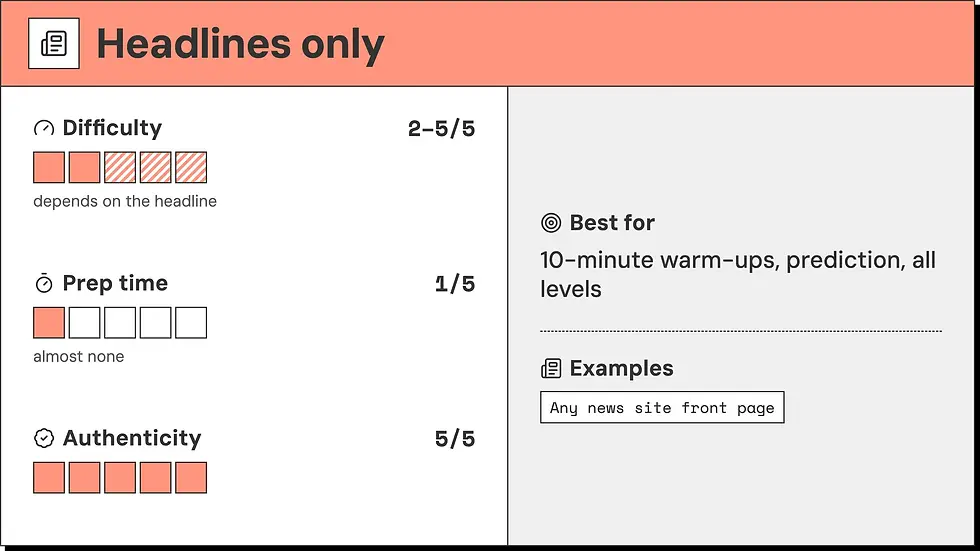
This is my go-to when I have ten minutes and no plan. You don't always need the full article. One headline can fill a whole warm-up. Put three or four on the board and ask students to guess the story behind each: Who is involved? What happened? How does it end? You'll get speculation, opinions and plenty of "I think maybe," with almost no prep.
It's also a sneaky way to teach grammar. Newspaper English has its own rules. Articles disappear, the present tense stands in for the past, and short punchy verbs like "slam," "probe," "cut" and "hit" turn up everywhere. Students usually enjoy cracking them like a puzzle, and it makes real news easier to read later.
The catch is that a headline can mislead or confuse without its article, and some only make sense in one culture. I've picked headlines that looked fun and then spent five minutes explaining the background. Read them first and be ready to explain. If one sparks a great conversation, hand out the full article afterwards.
Curated ESL content

When you don't have time to hunt for stories, curated lessons do the work for you. Full disclosure: this is what we make at betterclass, our team picks the stories, rewrites them as short articles of around 300 words and builds a mini-lesson around each one. Our own ESL news lessons work like this. Each topic comes in two versions, A2–B1 and B2–C1, so a mixed-level group can work on the same story.
Prep is minimal. Scan the article, glance at the vocabulary list, and you're ready. Each lesson comes with topic words, discussion questions and creative speaking activities, so you're never staring at a text wondering what to do with it. If you teach back-to-back classes, you know why that matters.
There are trade-offs, and I'll be straight about them. Curated content isn't updated as often as the news, so there won't be breaking stories from this morning. It also avoids controversial topics, which keeps lessons classroom-friendly but means fewer heated debates.
AI chatbots and LLMs

Need a 200-word article about electric scooters at B1 level, with five discussion questions, in about thirty seconds? An AI chatbot can do that. It's the fastest prep method on this list, and you can change the length, topic, level and format as often as you like.
The problems show up when you read the result closely. AI text tends to be generic and has a recognizable style: the same stock phrases and tidy, balanced sentences no human would put in a news story. Students may pick up phrases that sound slightly off to a native ear. And a chatbot doesn't know what your learners need at a given level, so the vocabulary and difficulty can be off without you noticing.
So treat AI as a first draft, not a finished lesson. I never hand over the output as it comes. Give it clear instructions, tell it which words to avoid and edit everything before it reaches students. Fact-check anything that claims to be news, too. AI can invent details, and it doesn't always know what happened this week.
Photo news

Sometimes one good photo beats a thousand-word article, and it's one of my favorite low-effort activities. Photo news works at any level because the image does most of the explaining. A beginner can say "I see a man and a dog." An advanced student can talk about mood, symbolism and what the photographer wanted you to feel.
A simple routine works well. Students first describe what they see. Then they speculate about what's happening with phrases like "it might be," "it could be" and "she looks like she's." Finally you reveal the caption or story and see who was right. It's quick, everyone talks and nobody has to read a long text first. Even my quietest students tend to join in, because there's no wrong answer.
Preview each image before class, since some news photos show difficult or upsetting events. Copyright matters too: show photos on screen in class instead of posting them publicly. Photo of the day galleries are a safe place to start, because they tend to be more positive and better suited to a classroom.
YouTube channels

I love YouTube for listening. Real speakers, real speed, accents from all over the world. You can get students used to British, American, Australian and Indian English in a single lesson, and subtitles and playback speed controls make videos easier to handle.
It takes even more prep than a news website, and that surprises people. I always watch the whole video myself, check the speech is clear enough for the level, decide where to pause and write my own questions. Ads, autoplay suggestions and clickbait thumbnails can pull the lesson off track, so save or queue the video before class.
Keep clips short. Three to five minutes is plenty for one lesson stage. Have students watch once for the main idea and again for details, then move into discussion. Build a playlist of channels you trust, and next time half the prep is already done.
If you're looking for more on using YouTube for teaching English, our 3-stage method for using YouTube videos will come in handy.
Reddit and social discussion threads

Nothing shows how real people react to the news like a discussion thread. You'll find disagreement, humor, sarcasm, abbreviations and people changing each other's minds. For advanced learners it's a chance to see informal written English as it's actually used, and it works well as a base for lessons on agreeing, disagreeing and giving opinions.
It's also the riskiest type on the list. Threads are unfiltered, so rude comments, strong language and misinformation can turn up. I always read the whole thread before class, always, and pick a few comments myself instead of showing a live page. Screenshots or copied excerpts let you stay in control and cut anything unsuitable.
Think about the age and context of your group first. I only use this with adult C1 groups. Students who want to know how native speakers talk online will get a lot out of it. With younger learners or lower levels, skip it or use only a few short comments you've chosen carefully.
How to choose the right mix
There's no single best source, and you don't need one. Here is how the eight types compare at a glance (scores out of 5):
News source | Difficulty | Prep time | Authenticity | Best for |
News websites | 4/5, best for B2–C1 | 4/5, high | 5/5, the real thing | Reading practice, topic variety, advanced learners |
News newsletters | 3/5, B2 and up | 2/5, low | 4/5 | Casual reading, natural tone, collecting material over time |
Headlines only | 2–5/5, depends on the headline | 1/5, almost none | 5/5 | 10-minute warm-ups, prediction, all levels |
Curated ESL content | 2/5 for A2–B1, 4/5 for B2–C1 | 1/5, minimal | 3/5, adapted for learners | Ready-to-teach lessons, busy teachers, mixed-level groups |
AI chatbots and LLMs | Any, you decide | 1/5, the fastest option | 1/5, low | Custom length and level, quick drafts, topic requests |
Photo news | 1–3/5, flexible | 1/5, very low | 4/5 | A1–B1, speaking, speculation, visual learners |
YouTube channels | 3–4/5 | 4–5/5, more than websites | 5/5 | Listening practice, understanding different accents |
Reddit and social threads | 5/5, high | 3–4/5, you must vet it | 5/5, unfiltered | Informal register, real opinions, C1 learners |
Match the source to the level. Lower levels do best with photos, headlines and adapted lessons. Upper-intermediate students can handle newsletters and news sites. Advanced learners are ready for YouTube, Reddit and long reads.
Don't overthink it. Pick one type, try it with one class this week, and see who talks. If it works, build from there. If you want a reliable lesson to sit alongside it, these ESL lesson plans are a good place to start.
If you're looking for more ways to keep sessions fresh beyond news, our guide on what to add to your ENGin session and the volunteer resources hub are good next stops.
Whichever mix you land on, the real test is whether your student wants to keep talking once the material runs out. If you'd like to try these ideas with a real conversation partner, you can volunteer to teach English online with ENGin: we match English speakers worldwide with Ukrainian learners for weekly one-on-one conversation practice.


